Project case study · By Edgaras Timinskas
I started with a simple idea: a shelf for displaying 3D-printed architectural models. I also wanted to test how far AI could take the work when it could operate the software, rather than just explain which buttons I should press.
About five days elapsed between the initial brief and the photographed display prototype. That included design iterations, printing and assembly, not five continuous days of hands-on work. Along the way, a conventional modular shelf became an organic Generative Design assembly. Some results worked, some were rejected, and some needed repairs I had to spot myself.
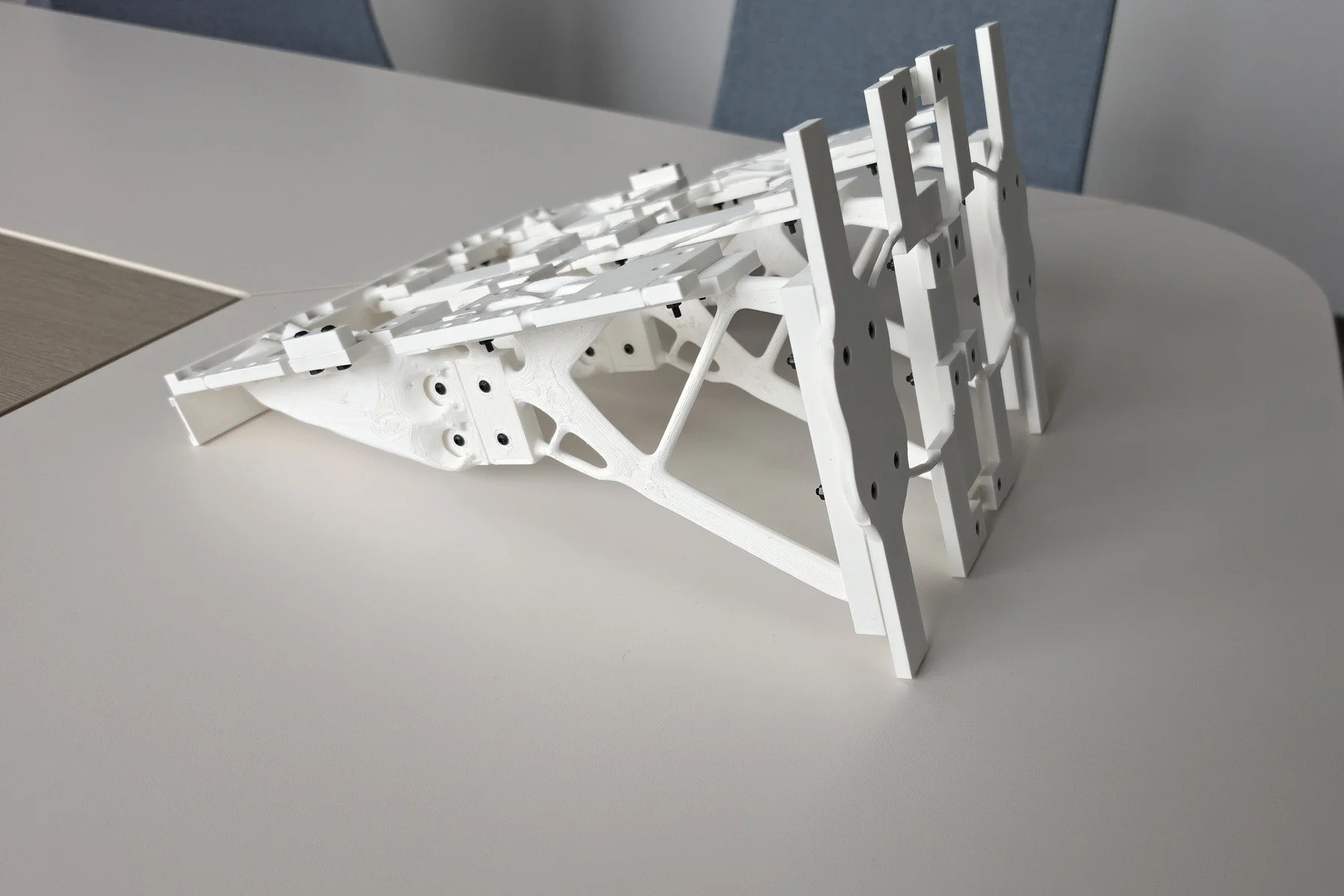
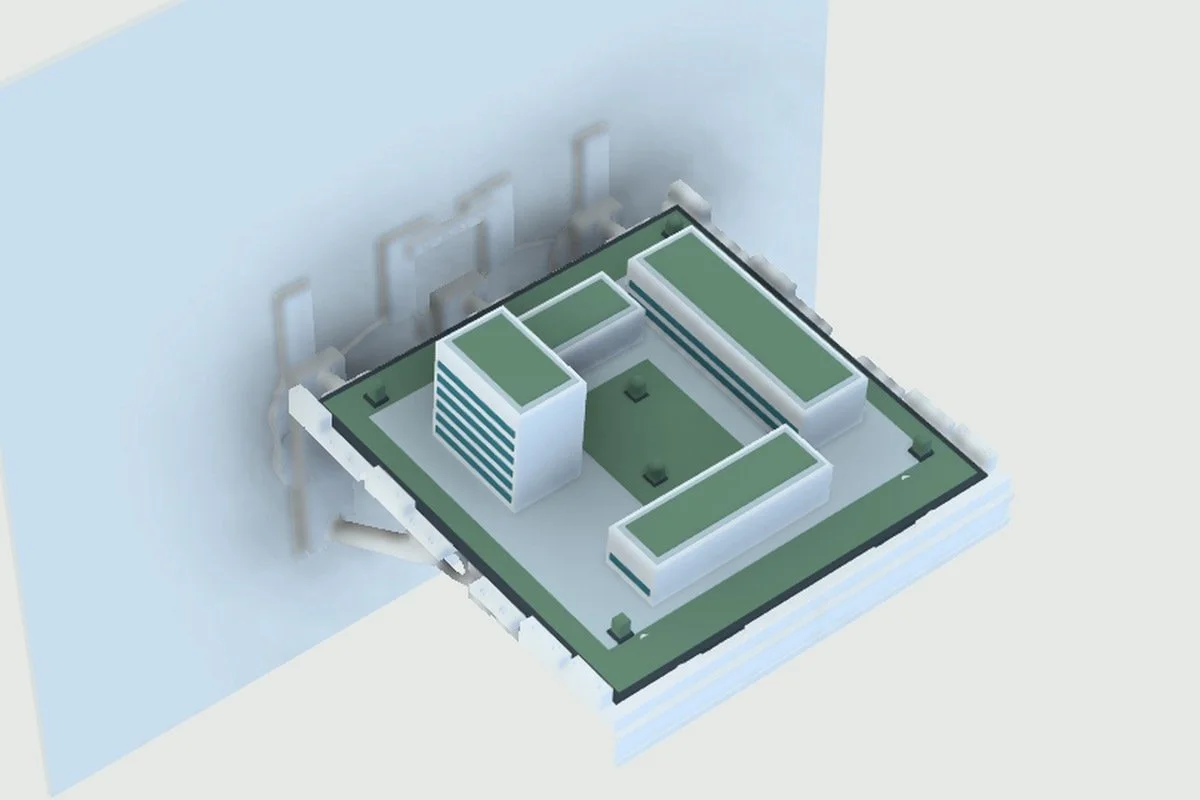
CAD visualisation and the printed prototype from similar viewpoints. The left panel uses v044 shelf geometry with an illustrative campus; the right shows the real shelf displaying architectural models.
The experiment in brief
With my direction and approvals, AI operated Fusion, used the browser, managed project files, prepared generative studies and helped turn selected outcomes into a print package. I could watch the actions in Codex and intervene as the work progressed.
The most useful result was the experience of running that whole workflow. AI reduced the amount of software operation I had to do myself, while the project made it very clear where engineering judgement still mattered.
1. Turn the idea into a workable brief
The shelf needed to fit architectural models, be printable in PLA on a Bambu X1C, and include a front stop, adjustable side stops, a removable restraint and a replaceable project-name label. The model-mass target began at 1 kg and was later revised to 1.5 kg. Those figures were design inputs.
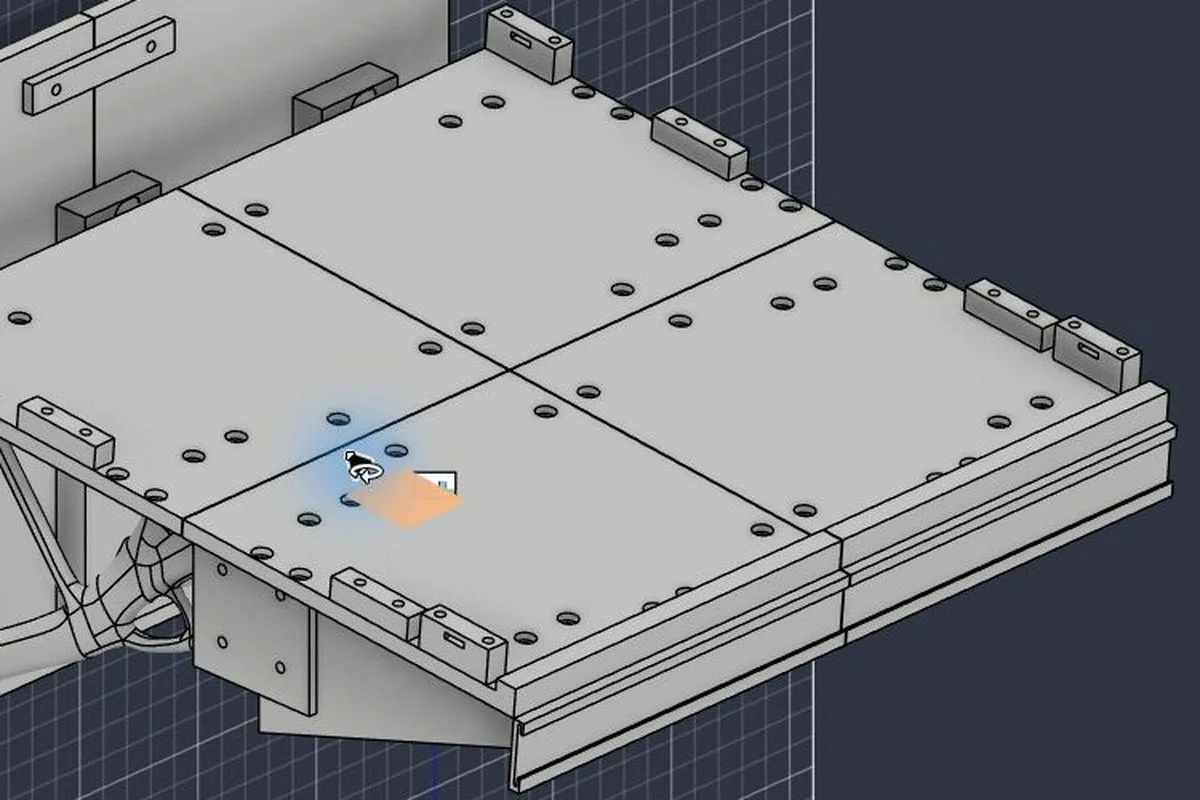
The printer’s working area quickly shaped the solution. The deck became four modules, with split ribs and bolted connections. The early design allowed different display angles by changing rib pieces. The final organic assembly settled at a nominal 5°.
This first stage was already iterative. Ribs needed flanges, joints needed splice plates, and seams needed support. A shelf that looked simple in the brief had become a small assembly with interfaces that had to work together.
The early modular design: a four-part deck, split ribs and defined connection zones. This development diagram helped turn the brief into a buildable arrangement.
2. AI moved from advice to operating the tools
The first package was a script handoff. Once the native tool connection was available, AI took control of Fusion and carried out modelling actions, used the browser for supporting information, saved files and continued the work through successive versions. The first native script hit an over-constrained sketch, so the workflow included diagnosing and correcting the model as well as creating it.
I supplied a manufacturer’s reference for the PLA. AI used that information to prepare the material definition and set up the loads for the studies. It also defined the geometry that had to remain and the spaces that had to stay clear. The material model included screening assumptions: printed PLA is direction-dependent, while the study used a simplified isotropic representation.
3. Use real Generative Design
I specifically wanted Fusion Generative Design, not just a manually drawn organic-looking shape. There was a temporary local search for circular openings, but the workflow then moved into actual native generative studies.
AI activated the studies, worked through the outcomes and selected candidates for review. A rear-rib study converged, its result was extracted into editable CAD, and three instances were integrated into the shelf. Later studies addressed the deck, wall panels and connectors.
The useful decisions came from comparison. Some front-rib outcomes converged but were heavier than the parts they were intended to improve. An early deck study failed. When I clarified that the architectural model would have a rigid base, the design could move towards a more open support framework.
Preparing a Fusion Generative Design study: the geometry and PLA screening-material definition are visible in this process photograph.
4. The mistake that mattered: covered mounting holes
After Generative Design, the AI-assisted workflow did not adequately check the whole assembly. Some generated or integrated geometry covered mounting holes and screw-access zones. I caught this during review.
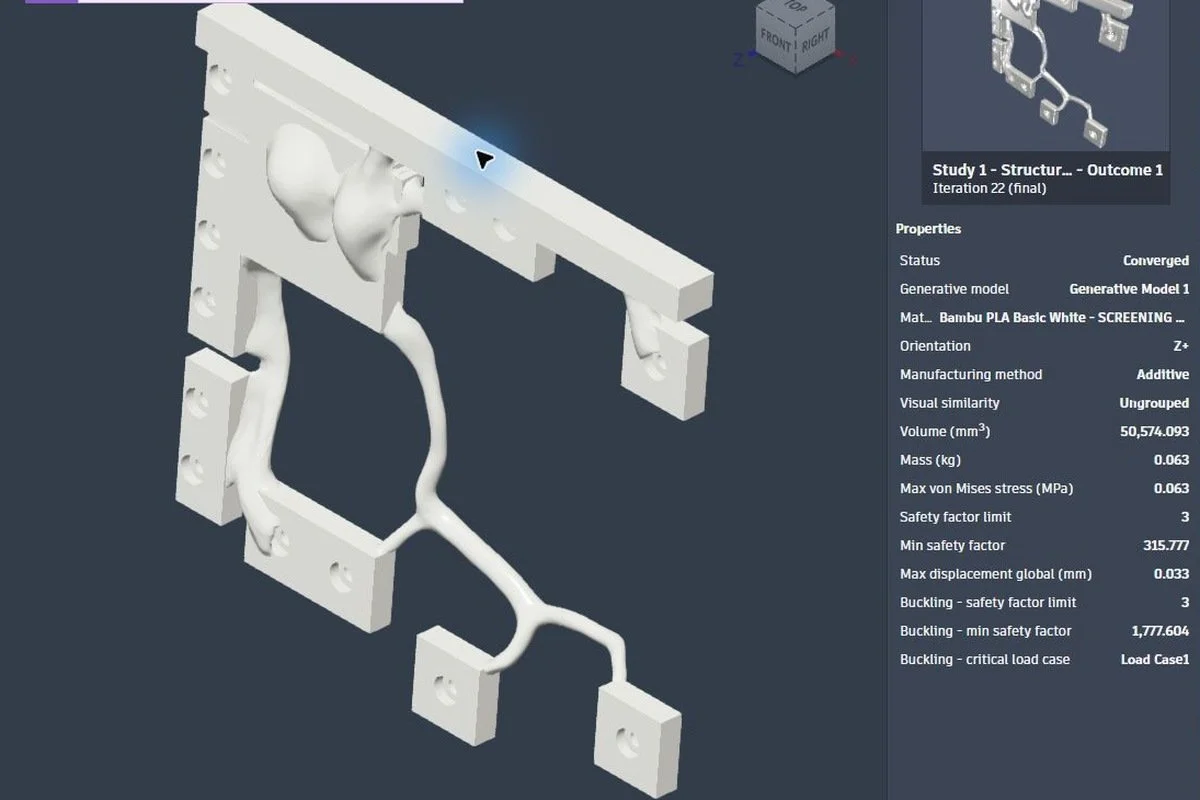
One front-deck integration produced 12 collisions, and a repair attempt broke the continuity of the part. The next study included 36 obstacle bodies representing neighbouring components and fastener-clearance zones. That produced a better candidate, but it still needed integration checks.
This was a practical lesson: a converged solver result can still be awkward or impossible to assemble. Holes must remain open, screws need a path in, and a tool must be able to reach them. Reviewing one attractive component in isolation was not enough.
The revised front-deck study reached Converged after neighbouring parts and fastener clearances were added as obstacles. Its displayed metrics describe that component study.
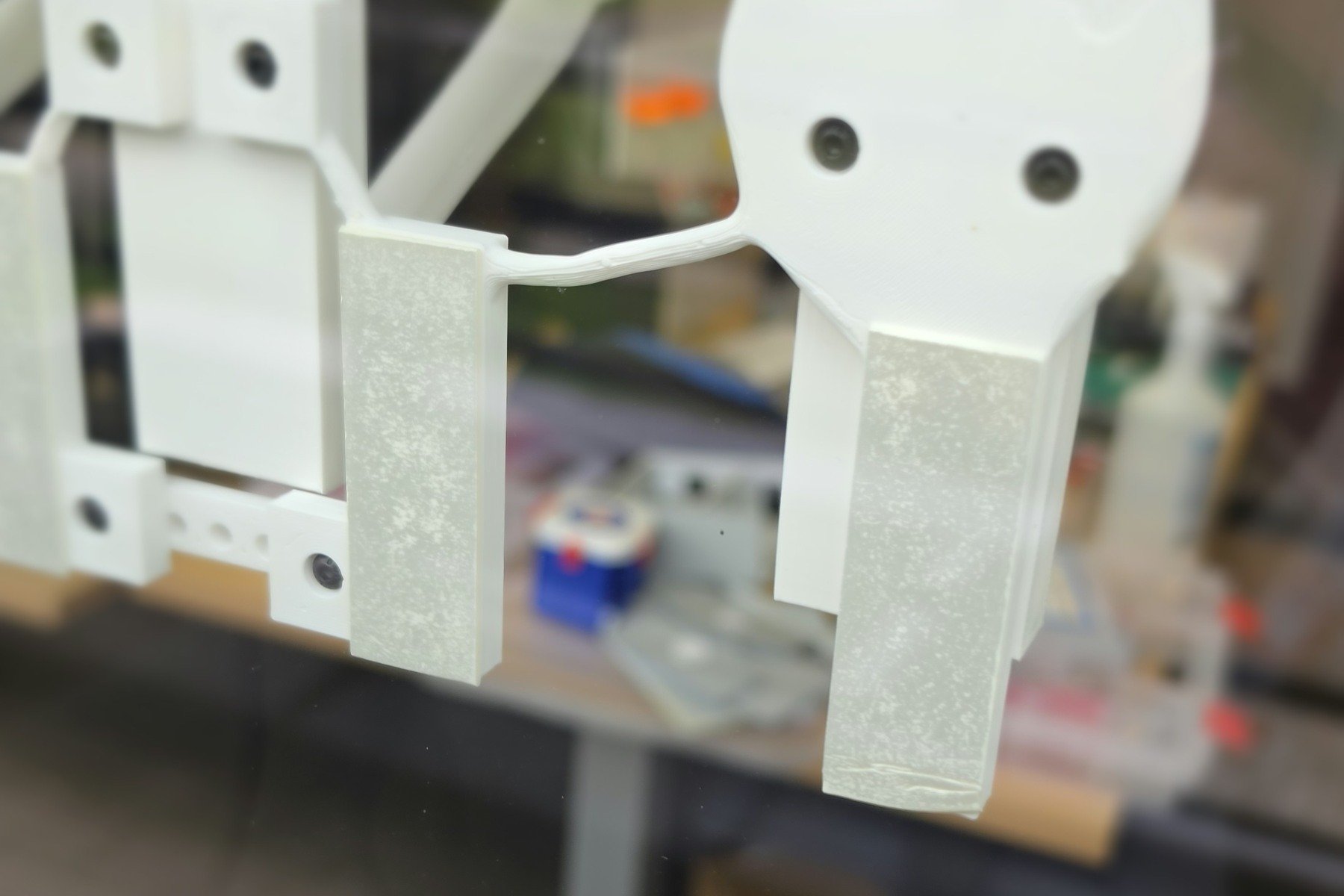
Post-processing removed small disconnected fragments and thin membranes left across connector holes. Later repairs were deliberately limited to the affected front-deck parts so that already accepted components were not changed unnecessarily.
The final version was not the lightest version at every stage. Some choices favoured the integrated form and practical assembly. The organic parts also had fixed topology: changing the final shelf angle would require further modelling and checks rather than simply updating one parameter.
Inside the assembly
These five CAD illustrations from the assembly guide show how the generative geometry connects to ordinary joints, screws, contact surfaces and small fittings.
The 32-part assembly: blue support ribs, teal wall panels, grey deck and gold fittings. The organic shapes still depend on clearly defined interfaces.
The centre support separated into front and rear rib sections, with splice plates on both sides. Four aligned M3 fasteners connect each rib assembly; keeping the holes and tool paths clear is essential.
Two wall panels align the three support ribs before the deck is fitted. Recessed screw heads keep the rear contact surfaces clear.
The four deck sections retain contact and fastening zones around the organic openings. In the original guide labels, the front/lower edge is at the top of the image and the rear/wall side at the bottom. The model needs a rigid base spanning the supports.
Gold fittings identify the side stops, label holders and model-capture cleats. The two textile retaining straps specified in the guide are not shown.
5. From approved CAD to the slicer
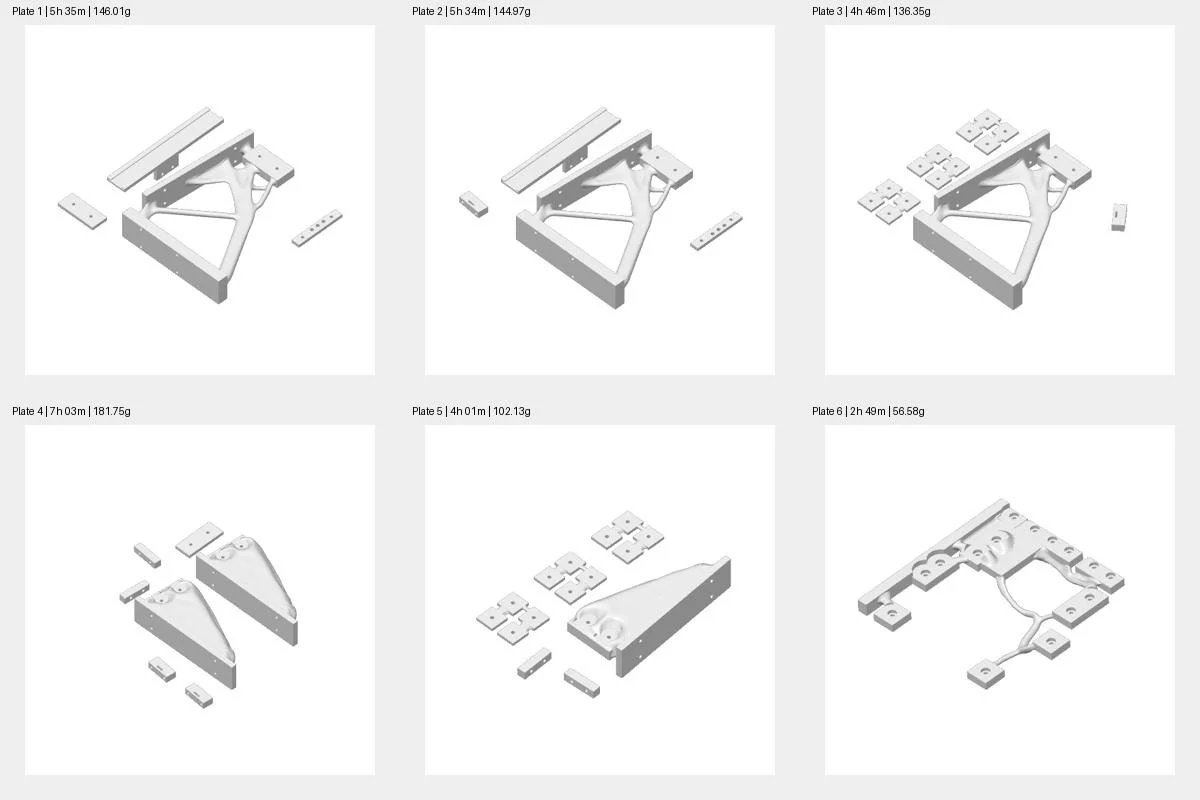
After I approved the selected results, AI opened Bambu Studio, imported the assembled model, separated it into printable parts and prepared the print settings and plate layouts. The verified package contained 32 components across 11 plates, and every plate sliced successfully.
The slicer estimated about 39 hours 54 minutes and 1,005 g of PLA including supports. These were software estimates, not measured printing time or hands-on work. The automated preparation stopped before starting a print.
With a connected printer, sending a reviewed job could be a further automation step. That was not tested here and would still need suitable permissions, machine checks and human approval. I would not treat a prepared file as proof that an unattended physical print will succeed.
Bambu Studio print preparation: all 32 components arranged across 11 successfully sliced plates.
Project statistics
The saved project makes the scale of the experiment easier to see. These figures describe the design records, archive and slicer plans; they are not measurements of material actually consumed.
Design and development
| Measure | What the records show |
|---|---|
| Elapsed project period | Approximately five days from the initial brief to the photographed display prototype, not five continuous days of work. |
| Final digital assembly | 32 production parts in v044; CAD solid volume of 968.64 cm³. This is geometric volume, not print mass. |
| Assembly specification | 76 M3 bolts, 76 nuts, at least 76 washers, two retaining straps, eight adhesive pads plus one spare. These are specified quantities, not a record of actual consumption. Bolt lengths still need checking during a dry assembly. |
| Versions | 50 version labels in the archive, including 42 design/engineering labels through v044. They do not represent 42 generative studies. |
| Generative Design studies | At least 10 documented submitted studies: nine converged and one failed. This is the documented project subset, not an account-wide total. |
| Separate local 2D screening | One run evaluated 109 candidates in 14.30 seconds: 107 feasible and two rejected. Four mesh spacings were checked; the finest, 0.75 mm, had 22,563 nodes and 44,017 triangles. This was a separate 2D screening routine, not a complete shelf or cloud solve. |
| Automation scripts | 84 retained Python files with 74 distinct file contents after exact-duplicate removal. Together, the retained versions contain 6,224 non-blank lines—not 6,224 unique instructions. |
| CAD export/reimport checks | 32 production parts checked in both F3D and STEP: 64 part-format checks passed solid-body, volume and bounding-box checks. These were format checks, not 64 independent test scenarios. |
The local 2D screening and CAD checks do not establish a physical load rating.
Two different print-plan snapshots
| Slicer setting or estimate | Original documented v045 plan | Later stored 3MF snapshot |
|---|---|---|
| Plates / objects | 11 plates / 32 objects | 10 plates / 32 objects |
| Infill | 35% gyroid | 15% gyroid |
| Estimated PLA | 1,005.37 g: 894.48 g model + 110.89 g supports | 880.00 g total |
| Estimated print time | 39 h 53 min 37 s | 31 h 53 min 44 s |
These are two different saved print plans, not measurements from the physical print. Their lower estimates should not be read as measured material or time savings.
Project archive
The audited archive contains 989 files, approximately 1.81 GB, including 138 owner photographs and 74 cache/editor files. Excluding those leaves 777 files, still including copies and exports. This is an archive count, not a count of unique designs or files created by AI. The output folders retain 161 CAD exports: 25 F3D, 25 STEP and 111 STL files. They include superseded and presentation versions, not 161 different designs.
The practical lesson is to agree the versioning workflow before starting: mark the accepted design clearly and keep its CAD, assembly guide and print plan together. That makes a growing archive easier to navigate and alternatives easier to compare.
Explore the design in 3D
Rotate and zoom these three actual project models to compare the completed digital assembly with two earlier generative outcomes. Use full screen for a closer look. CAD downloads are disabled.
1. Final digital assembly — v044
2. Generative deck — before the screw-access corrections
Open the earlier generative deck in Autodesk Fusion viewer ↗
3. Original connector outcome — the hole-clearance lesson
Open the original connector outcome in Autodesk Fusion viewer ↗
The Autodesk viewer requires a WebGL-capable browser. If an embedded view does not appear, try its direct-view link. The captioned CAD illustrations above remain available for reference.
6. Plan the workflow before the files multiply
One interesting part of the experiment was the way AI approached iterative design. Trying a new solution often meant creating another file, another version and another set of notes. I had not prescribed a versioning or data-management system, so it organised the information in its own way and wrote instructions for itself as it went.
That was useful for this experiment, but a large project could generate a substantial flow of information. Next time I would agree the workflow first: where accepted results live, how alternatives are named, what gets checked, and when a version can replace the previous one.
Codex’s action panel explained what it was doing as it worked. I could follow the process in real time and step in when needed. I also found it valuable to ask Codex to keep asking clarifying questions. Questions interrupt an automatic sequence, but a short pause can prevent a much longer run in the wrong direction.
Another risk is a loop of repeated attempts while the conversation grows. At that point I would stop for a checkpoint: package the verified files, accepted decisions, working instructions and unresolved issues, then continue in a fresh conversation in the same project with that handoff. I would also ask periodically whether the task could use tokens more efficiently.
For a recurring project, testing and correcting the same workflow could make later runs much more reliable. There are more advanced ways to manage these checkpoints and repeated processes automatically; this experiment did not test them.
From the digital model to a physical prototype
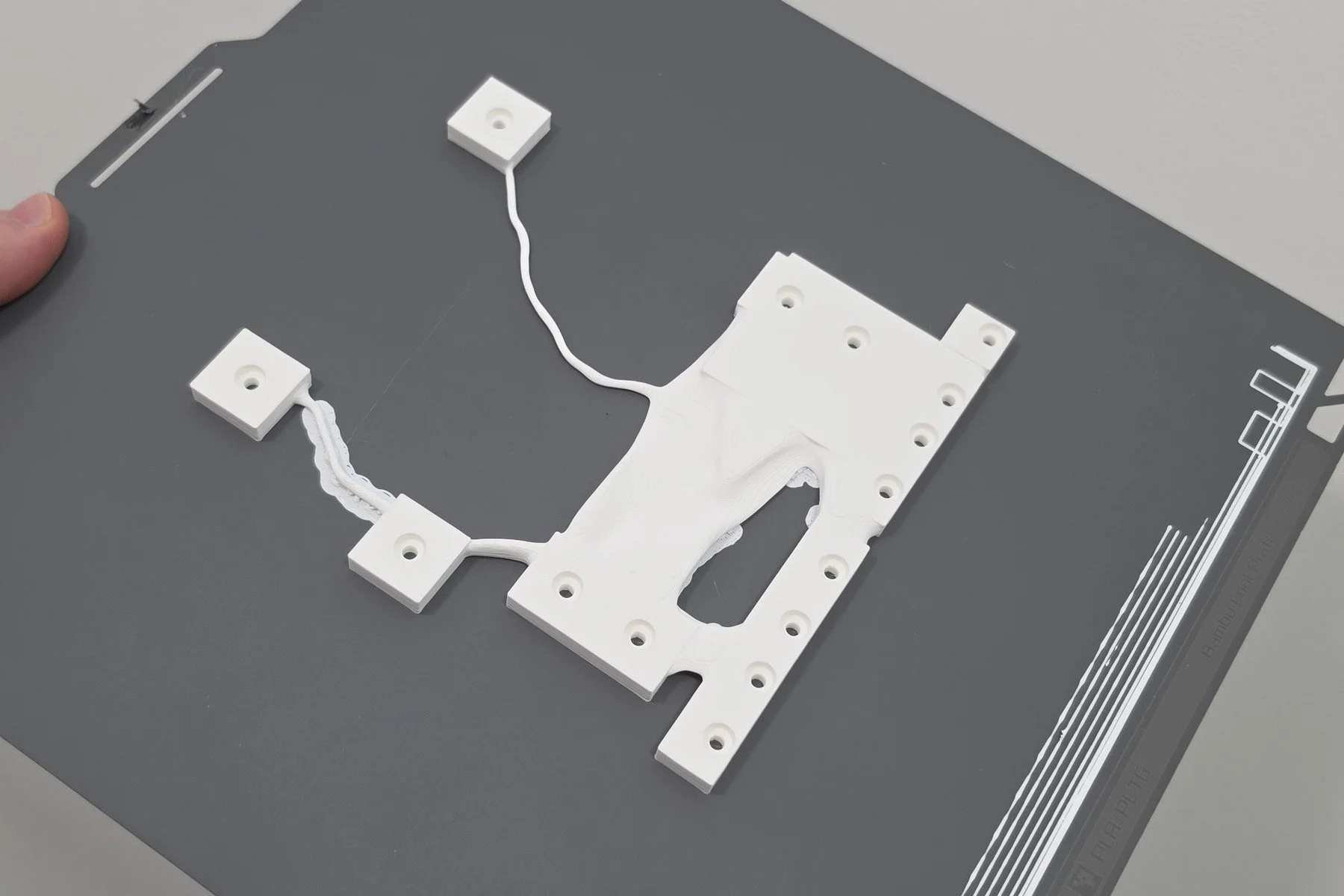
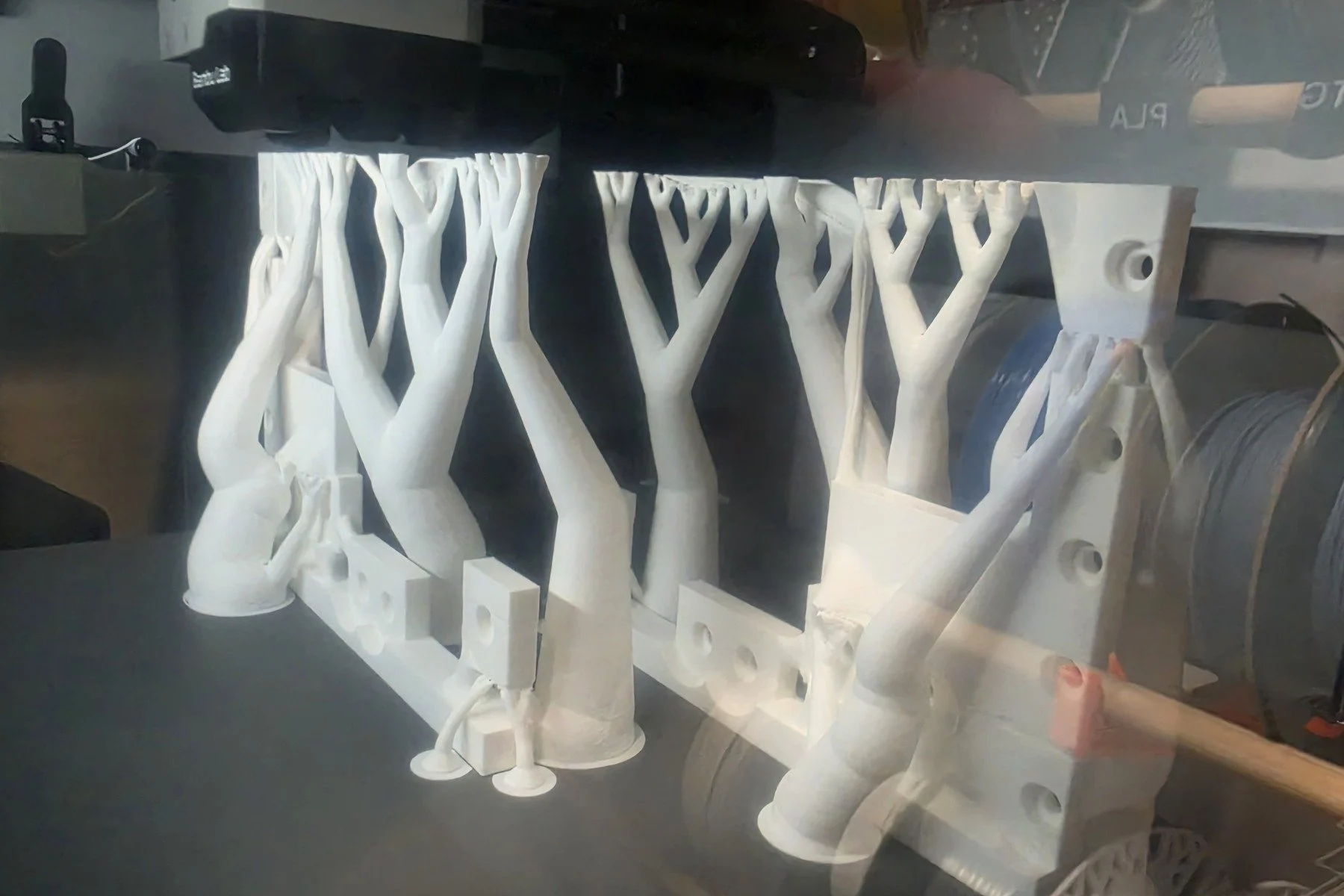
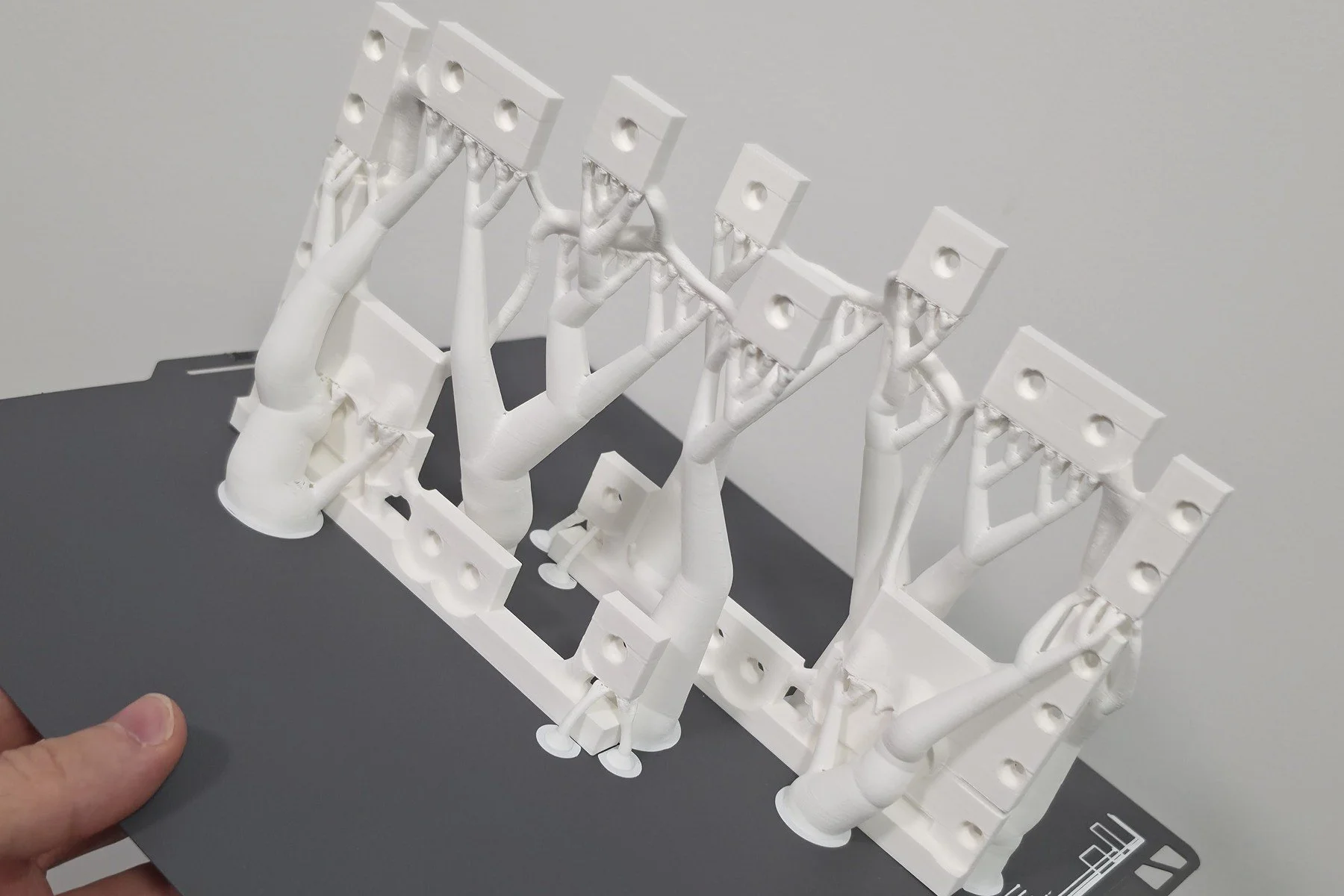
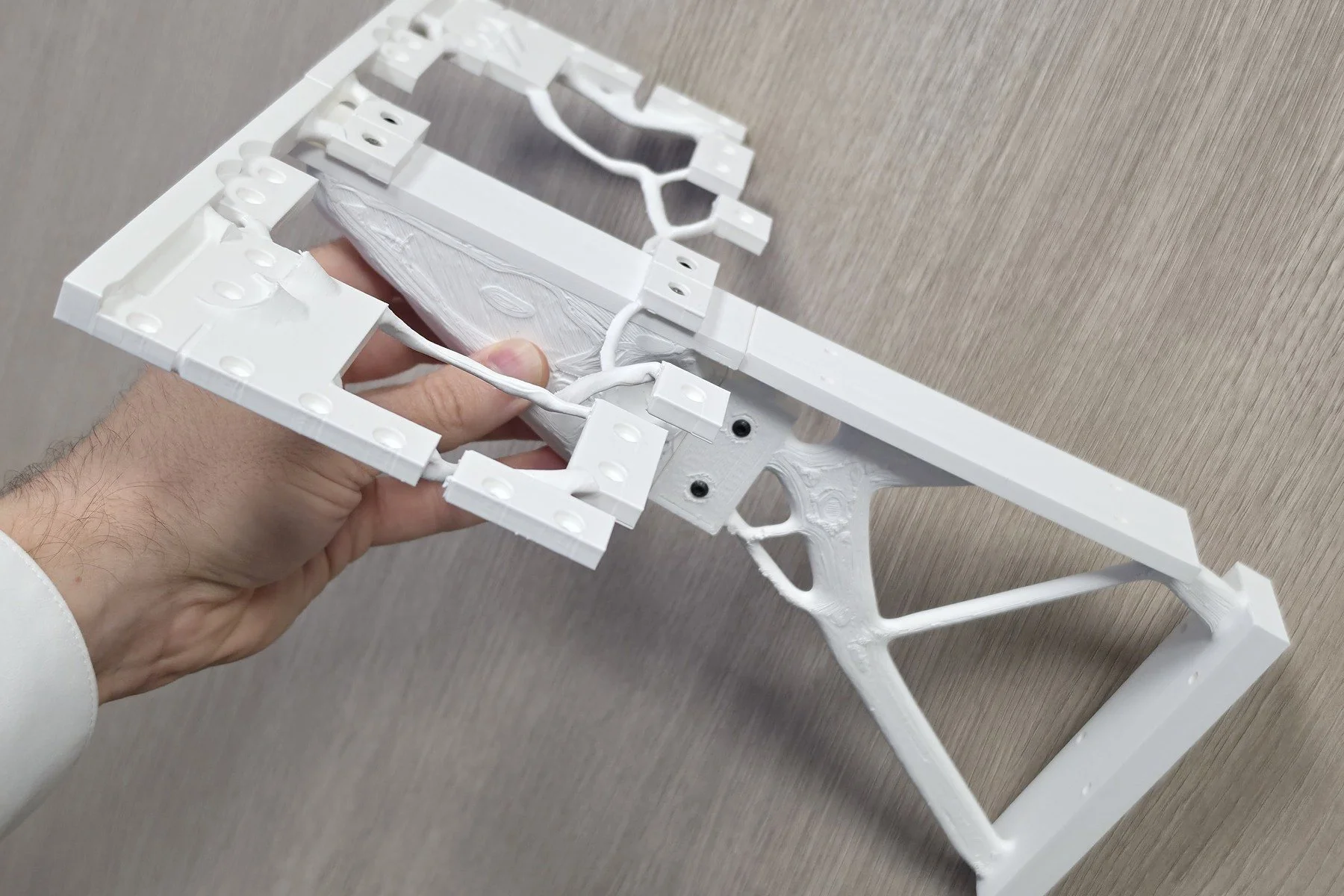
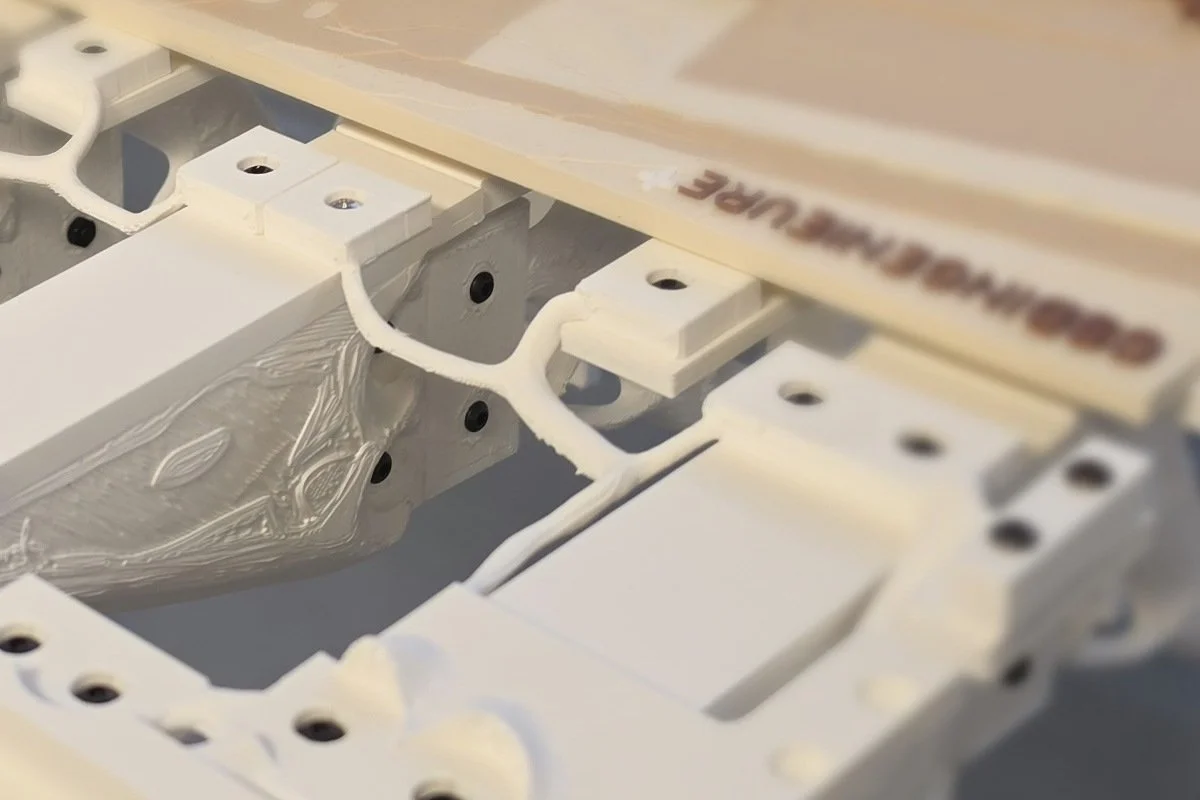
The photographs show the next chapter: printed components, support removal, assembly checks and the shelf displaying architectural models. The opening comparison pairs the CAD design with the physical prototype from a similar viewpoint. The campus in the CAD scene is illustrative; the photograph shows the real display models.
What I would take into the next project
The shelf is overengineered, and there are still details I would simplify or improve. Even so, it was a compelling study of design and automation, from the initial idea through software operation to a physical object.
AI lowered the barrier created by unfamiliar commands and interfaces. It helped me use the available software to move the project forward without having to carry out every operation myself. The experiment does not establish that every software package or task can be automated equally well.
For students and engineers, the fundamental knowledge becomes more important, not less. Understanding forces, materials, geometry, connections and manufacturing gives us a way to judge what the software produces. AI can operate tools and create a great deal of work quickly; it can also create mistakes quickly. We need enough understanding to recognise them.
The simplified component studies and prototype photographs do not establish a tested load rating. Complete-assembly behaviour, printed-material directionality, long-term deformation and attachment performance remain engineering checks beyond this experiment.
Process slideshow
These eleven images follow the project from generative CAD studies and print planning to printed parts, support removal, fit checks and the assembled prototype. Compare the early solid deck with the later open framework, review the component-study screenshot, and inspect the real connections. CAD scenes and solver metrics describe design stages; the photographs document the physical prototype, not a load test.