Speckle 2026.9: Revit Coordinates + AI Model Queries Explained
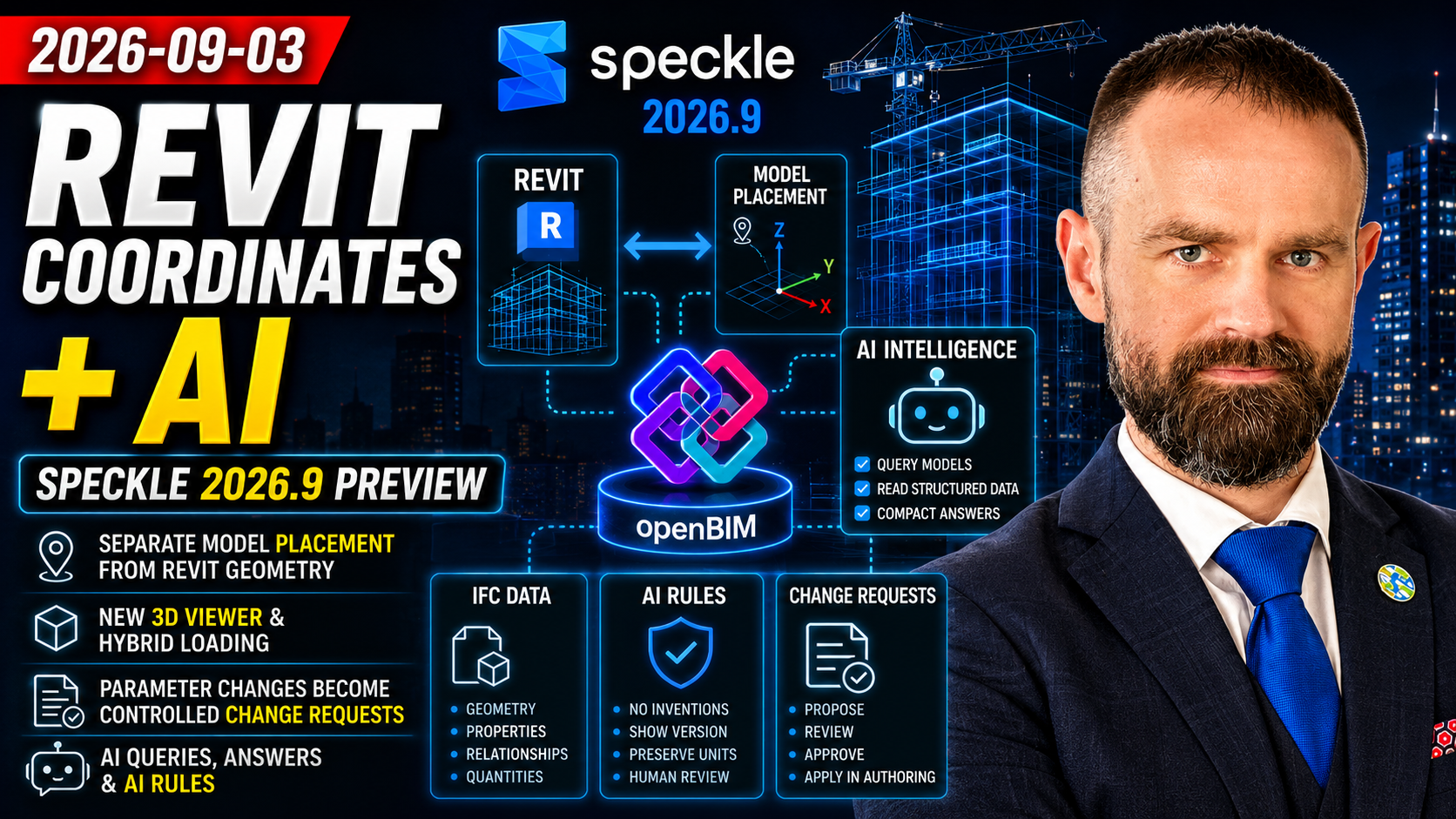
Edition: 3 September 2026 · Category: BIM News
This is an archived English edition. The briefing below preserves the original episode’s reporting and analysis, with paragraph headings added for reading. Words such as “today”, “planned” and “upcoming” refer to the edition date, not the website publication date. Product status, prices and deadlines should be checked again before a new decision.
The edition’s main signal comes from the Speckle 2026.9 preview documentation updated on September second. It shows how an open AEC data platform is trying to address Revit coordinates, large-model viewing, parameter changes and model-aware artificial intelligence as one connected system. An important qualification is that this is preview documentation, so feature scope and timing may still change.
First story
Speckle 2026.9 separates Revit geometry from model placement.
In the new scheme, published geometry remains in Revit's Internal Origin coordinate system. The selected Internal Origin, Project Base Point, Survey Point or Shared Coordinates transformation is stored in a separate model placement record. Different recipients can place one publication against the datum they need instead of asking the author to publish the same model again for each coordinate system.
One technical distinction matters. Shared Coordinates includes the True North rotation, while Survey Point uses only the survey-point origin without that rotation. If the selected base point cannot be resolved in the document, the connector falls back to Internal Origin and the viewer should identify that fallback.
For a BIM manager, this matters because the coordinate system becomes a separately governed data object instead of an offset permanently baked into geometry. It may reduce repeated publishing when architecture, structure and civil models are federated.
The recommended action is to test all four datum options with a known control point and a documented True North angle. A transformation record alone does not prove that models from different authors actually use compatible coordinates.
Second story
The integration contract changes, so custom scripts may need updating.
Scripts and SDK clients that read the old reference point transform from the root object must move to the model placement fields on the EAV model record. Existing version-three models continue to work, but a model must be republished once from a 2026.9 connector to gain the new placement picker and named datums. AutoCAD and Civil 3D are expected to follow the same placement contract.
A model may look correctly positioned while a custom dashboard, database process or automation has interpreted its transformation incorrectly. Teams should therefore inventory code that reads the old reference point transform. Tests should cover both schemas, transformation units, the ordering of the sixteen matrix values and the applied-to-geometry flag. When that flag is true, a custom consumer must invert the transformation first.
Third story
The new 3D Viewer begins showing a model before the full download has finished.
Large models use hybrid loading. Geometry starts appearing while the complete file continues downloading in the background. The downloaded version is cached locally, so opening the same version again prefers that local copy.
The viewer also introduces dockable panels, property filters, an Elements table, individual section planes, measurements and three-dimensional sketches. Object properties can become table columns, while filters offer operators suited to text, numbers, Boolean values and model relationships.
As with Revit Incremental Model Open, the moment at which the user can start looking at the model now occurs before all data is ready. Performance should therefore be measured at three points: time to first geometry, time to complete model readiness, and time to the first complete filter or quantity query. The disappearance of the initial loading overlay does not prove that every object is ready for analysis.
Fourth story
Parameter edits in the viewer become change requests rather than silent model writes.
Values in properties columns can be edited in the Elements table, but the changes remain staged. Submit change requests creates an issue containing the proposed changes, while the published model version remains unchanged. The user needs permission to create issues in the project.
For ISO 19650 workflows, the useful principle is the separation of proposal, review and modification of the authoritative model. This is closer to controlled information status than direct write-back from a browser.
A pilot should confirm whether the change request retains the object identifier, property path, previous value, proposed value, source version, initiator and final decision. The organization must also define who returns an approved value to Revit or another authoring model, and through which controlled tool.
Fifth story
Speckle Intelligence reads models through compact, read-only queries.
According to the official preview documentation, the artificial intelligence is not given an entire Revit, Rhino, Tekla or other host file as a giant block of text. It runs read-only queries against data already published to Speckle. Those queries can cover object properties, containment and connectivity, levels, systems, materials, the source application, version history, and tables or data warehouses connected to the workspace.
The old data format is not queryable. In that situation, the assistant should say that queryable data is unavailable instead of producing a partial answer. Speckle also warns that the assistant can still be wrong if it skips a query or misreads the returned result.
This is an important architectural shift from asking a language model to read the whole file to letting it invoke narrow data queries. It may reduce token consumption and the volume of data passed to the model, but it does not remove the risk of a wrong query, filter or interpretation.
Quantity answers should therefore name the model version, publisher, source application, filter and units. A critical result should be compared with SQL, an API query or a schedule produced by the authoring application. Model chat is a convenient access layer, not an automatic certificate of data reliability.
Sixth story
Workspace administrators can define standing AI Rules.
AI Rules are administrator instructions applied to every conversation. They can require the assistant to report all costs in euros, never invent missing quantities, name the model version before giving a total, or avoid legal, safety and compliance conclusions beyond what the published model actually states.
A workspace can hold up to twenty-five rules. Longer or optional methods, such as carbon-factor tables or a detailed cost method, belong in separate skills. Standing rules remain active when an additional skill is used in a conversation.
This moves artificial-intelligence governance from the quality of an individual's prompt to a workspace-level policy that members can see and administrators control. A first pilot should use no more than five short rules: do not invent absent data, show the source version, preserve SI units, distinguish fact from interpretation, and never make a compliance decision without human review.
Analysis and practical implications
Today's analysis. Coordinates and AI answers both need to be governed as first-class data objects.
The Speckle 2026.9 preview connects two problems that initially look unrelated: where exactly a model is located, and what evidence an artificial-intelligence answer used. In both cases, a visually plausible result is insufficient.
The coordinate chain begins with Revit internal coordinates. It then adds a named datum, a separate transformation and the recipient's selected placement. The AI chain begins with a published model version. It then adds a structured read-only query, a compact result and the language model's explanation.
The largest opportunity is to use the same geometry in several coordination contexts and to question model data in natural language without submitting the entire host file. The largest risk is treating a correctly aligned view or a fluent answer as reliable evidence.
A combined pilot is recommended.
First development
prepare controlled Revit, Civil 3D and IFC models with documented coordinate points, rotation and units.
Second development
publish one Revit model without baking a transformation into its geometry and test every receiving datum option.
Third development
inspect the same model in the web viewer, a custom script and one additional receiving application.
Fourth development
prepare ten AI questions with known ground truth, covering quantities, relationships, levels, systems and changes between two versions.
Fifth development
compare every artificial-intelligence answer with a deterministic query and record cases of false confidence.
Sixth development
only after testing, define mandatory AI Rules, the approval process and the production use cases that are allowed.
At university, the same model can support an integrated assignment. A student explains the differences between Internal Origin, Survey Point and Shared Coordinates, then asks an AI a quantity question and independently validates its answer. One exercise therefore connects BIM coordination, data structure and critical assessment of artificial intelligence.
The edition’s signal is that new AEC platforms increasingly govern geometry, placement, parameter proposals and artificial-intelligence instructions as separate, traceable objects. A BIM manager must still verify the full chain of data origin, transformation and validation, not only the final picture.
Original edition sources
These direct links were cited in the original scheduled brief. The scheduled message was retrieved in full on 25 October 2026; this recovery is not a claim of a fresh product test or new source validation.
- https://docs.speckle.systems/next/connectors/revit/introduction - https://docs.speckle.systems/next/connectors/revit/migration - https://docs.speckle.systems/next/3d-viewer/introduction - https://docs.speckle.systems/next/analytics/intelligence - https://docs.speckle.systems/next/analytics/intelligence-rules
Watch the original edition
https://www.youtube.com/watch?v=ASctPPlJ3Gs
The original dated thumbnail is retained where available. Original per-topic artwork was not recovered for this legacy edition; no replacement artwork is represented as an original.
Watch the original BIMETI Daily BIM Tech Brief — 3 September 2026. Archived edition; review the cited sources for details and later updates.